
Wireless Intercom & Crew Comms Rental in Nashville
Multi-channel, hands-free headsets that keep stage, sound, video, lighting and your event team on the same call
What Is Wireless Comms?
Wireless comms (wireless intercom, also called production intercom or crew comms) is a hands-free headset system that lets an event crew talk and listen at the same time, on separate channels, while moving freely around the venue. Unlike a walkie-talkie, nobody waits for a turn to speak: the stage manager calls a cue, and audio, video, lighting and backstage all hear it at the same moment.
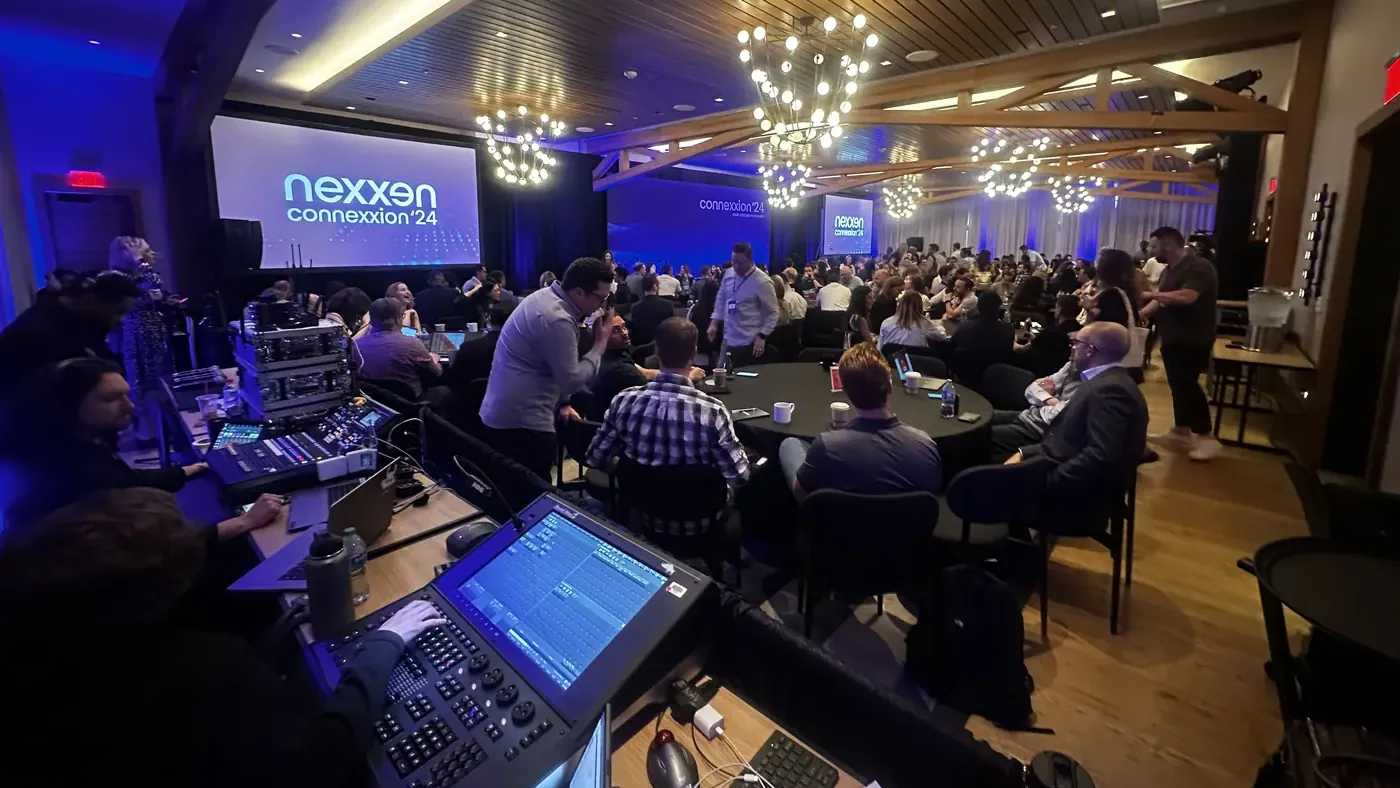
Watch a well-run general session and you won’t notice the most important system in the room. Behind the stage, at the tech table and out in the lobby, a dozen people are wearing headsets and listening to one voice: the stage manager, calling “standby” and “go” off the run of show. The video rolls, the lights shift, the next speaker walks on, and the audience sees one smooth moment instead of six departments guessing.
Nashville Audio Visual rents the Hollyland Solidcom C1 Pro, a multi-channel wireless intercom, for that conversation, and runs it on our own productions. You get the headsets, a channel plan built around your show, frequency coordination with every other wireless device in the room, and a tech who sets it all up and checks it before doors. 25,000+ events since 1995 have taught us that the show is only as tight as the comms.
Wireless Intercom vs. Walkie-Talkies vs. Wired Comms
| Wireless intercom | Two-way radio (walkie-talkie) | Wired intercom | |
|---|---|---|---|
| How you talk | Hands-free headset; latch the mic open or hold to talk | Hold a button on a handheld radio | Headset on a beltpack cabled to the system |
| Talk and listen at once | Yes (full-duplex) | No, one person at a time | Yes (full-duplex) |
| Separate channels | Yes: a show-call channel plus a back channel | One channel at a time per radio | Yes |
| Freedom to move | Anywhere inside the coverage area | Long range, across a big site | As far as the cable reaches |
| Best for | Calling a show: stage, tech table, backstage, event team | Parking, security and volunteers spread across a campus | Fixed positions: front of house, spotlight, camera platforms |
If your event only needs radios for parking and security, we’ll tell you so. If it has a stage, a run of show and more than two people who need to move on the same cue, it needs comms.
Two Channels on Every Headset: Keep the Show Call Clean
One channel for everybody works until the lighting crew and the video crew both need to troubleshoot during the keynote. Multi-channel wireless comms fixes that. Every Solidcom C1 Pro headset carries two channels, one button each: A and B. The crew lives on the show call, and whoever needs to talk shop switches over, so the show call stays clean. We build the channel plan from your run of show before load-in. On a typical general session it looks something like this:
- Channel A, show call: stage manager, audio, video, lighting and camera, for every standby and go
- Channel B, back channel: engineers sorting out a problem, the green room and stage door, or the planner’s team for doors and dinner service, whoever your show needs off the main line
The number of headsets is set by your show and spelled out on your quote. Comms is also how a large event production stays coordinated from the first rehearsal to the last clear.
Who Runs on Wireless Comms
Any event where more than one person has to move on the same cue.
What Comes With a NAV Comms Rental
- Hollyland Solidcom C1 Pro headsets for every position on your list, two channels on each
- A channel plan built from your run of show
- Frequency coordination with your wireless mics, in-ear monitors and everything else in the room
- Every headset charged, labeled by position and channel, and tested before doors
- Coverage checked at every position during setup: front of house, backstage, green room, loading dock
- A quick walk-through for anyone who has never worn comms
- Pick it up will-call from our Fesslers Parkway warehouse, or have our crew deliver, set up and strike it
Hollyland Solidcom C1 Pro at a Glance
- Headset: all-in-one wireless headset, no beltpack, about 6 oz (170 g)
- Talk: full-duplex; tap to toggle talk and mute, or press and hold for push-to-talk
- System: hub-based, which is what gives every headset two channels
- Channels: two per headset, A and B
- Noise cancellation: dual-mic ENC keeps a loud room off the line
- Radio: 1.9 GHz DECT (1920–1930 MHz in the US)
- Range: up to 1,100 ft line of sight
- Battery: 10+ hours per headset
Manufacturer ratings from Hollyland. Real-world range depends on the building, which is why we walk every position during setup.
On Its Own or With the Whole Show
Rent wireless intercom for your own crew and event team, or let it ride along with the sound, video and lighting we’re already running. On a full NAV production, comms is part of the job: a show caller on headset, operators at every position, one channel plan. Comms goes on the same itemized quote as the rest of your AV, priced by headsets and days.
Wireless Comms Glossary
The words you’ll hear on headset, in plain English.
- Channel
- A private talk group. Everyone assigned to a channel hears everyone else on it; people on other channels don’t. Most shows run one main show-call channel plus separate channels for departments that need to talk shop.
- Full-duplex
- Talking and listening at the same time, like a phone call. It is the main difference between production intercom and a walkie-talkie, where one person talks while everyone else waits.
- Headset
- Ear cup and boom mic in one. A single-ear headset lets the wearer still hear the room; a double-ear headset shuts out a loud concert or dance floor.
- Beltpack
- The small transceiver clipped to a belt that a headset plugs into, carrying the talk button, volume and channel selector. Some wireless systems build all of it into the headset itself; the Hollyland Solidcom C1 Pro we rent has no beltpack at all.
- Latch vs. push-to-talk
- Tap the talk button to latch the mic open for a running conversation, or hold it for a quick reply. An open mic on the main channel is the classic comms mistake, and the first thing we show a new user how to avoid.
- Show caller
- The person, usually the stage manager, who runs the event off the run of show and calls “standby” and “go” so every department moves on the same beat.
- Frequency coordination
- Planning which radio frequencies every wireless device in the room uses (comms, microphones, in-ear monitors) so nothing steps on anything else. In a packed hotel ballroom it is a real job, not a formality.
- Partyline
- The original wired intercom model: everyone on a line shares one conversation. Wireless comms keeps the same idea and drops the cable.
Wireless Intercom Rental FAQ
What is wireless comms at an event?
Wireless comms is the hands-free headset system an event crew uses to talk to each other during the show. The stage manager calls cues on a shared channel, a second channel keeps tech talk off the show call, and everyone can talk and listen at the same time without being tied to a cable or a push-to-talk radio. The audience never hears it; the show runs on it.
What is the difference between wireless intercom and walkie-talkies?
Walkie-talkies are push-to-talk: one person speaks at a time, on one channel, with a hand on the radio. Wireless intercom is hands-free and full-duplex, so everyone on a channel can talk and listen at once, like a conference call, and a second channel takes the tech talk off the main line. Radios suit parking, security and volunteers spread across a big site. Comms is what you call a show on.
What wireless intercom system do you use?
We run the Hollyland Solidcom C1 Pro: all-in-one wireless headsets with no beltpack, full-duplex so the crew can talk and listen at the same time, two channels on every headset (A and B), and dual-mic noise cancellation that keeps a loud room off the line. It runs on 1.9 GHz DECT, Hollyland rates it at 1,100 feet line of sight, and each headset runs more than 10 hours on a charge. It goes out with a channel plan built from your run of show, every headset labeled by position, and a tech who sets it up and checks coverage before doors.
Can I rent wireless comms without booking the rest of my AV?
Yes. Wireless comms rents on its own to anyone, without booking any other AV through us. Tell us how many people need to be on headset and for how many days, and we’ll send an itemized quote within one business day. If we’re already running your sound, video or lighting, comms simply goes on the same quote. Pick it up will-call from our warehouse, or we’ll deliver it.
How many headsets do I need?
Count every person who calls a cue or has to act on one: the stage manager or show caller, audio, video and camera operators, lighting, backstage and the green room, and the planner’s lead. Then add anyone your event moves on cue, such as the person who opens the ballroom doors, the catering captain for a served dinner, or the talent wrangler at an awards show. We size the headsets to that list on your quote and split them between the two channels. We have plenty of Solidcom C1 Pro headsets; call or email to check availability for your dates.
How much does wireless intercom rental cost in Nashville?
Comms is quoted by the number of headsets and the number of days, and it is itemized on the same quote as the rest of your AV. Send us your run of show or a rough list of who needs to be on headset, and we’ll send an itemized quote within one business day.
Will wireless comms interfere with wireless microphones or the venue WiFi?
Not when it is planned. Our Solidcom C1 Pro runs on 1.9 GHz DECT (1920 to 1930 MHz in the US), well away from the UHF band most wireless microphones and in-ear monitors use and from the 2.4 and 5 GHz bands WiFi uses. It shares that band with DECT cordless phones and some conference-room mic systems, so we still coordinate every wireless device in the room before the show and check every position during setup. Comms runs on its own radio link, not on the venue’s guest network. More on that in our event WiFi guide.
Will wireless comms work backstage and across a large venue?
Hollyland rates the Solidcom C1 Pro at 1,100 feet line of sight, but in a real venue range depends on the building more than the spec sheet; concrete, steel and kitchen walls all eat signal. During setup we check coverage at every position on the channel plan (front of house, backstage, the green room, the loading dock, wherever your people stand), so dead spots turn up before doors, not during the keynote.
Do you set it up and show our team how to use it?
Yes. On a delivered rental, every headset is charged, labeled by position and channel, and tested before doors, and anyone who has never worn comms gets a two-minute walk-through: how to talk, how to listen, how to switch between channels A and B, and how not to leave a mic open on the show channel. Pick it up will-call and you get the same walk-through at our counter.
How far ahead should I book wireless comms?
Call 615-988-4554 or email info@nashvilleaudiovisual.com to check headset availability for your dates. If comms is part of a full NAV production, book it with the rest of the show: at least six months ahead for events in April, May, September and October, and at least three months ahead the rest of the year.
Put Your Whole Crew on the Same Channel
Tell us your venue, your run of show and who needs to be on headset, and we’ll send an itemized comms quote within one business day. We have plenty of headsets: call 615-988-4554 or email info@nashvilleaudiovisual.com to check availability for your dates.
Get a Free Comms Quote